The website is built with React Router (in Framework Mode) and uses Sanity as it's CMS. Most animations make use of Motion due to it's convenient animation APIs. Visit the link below to explore the website.
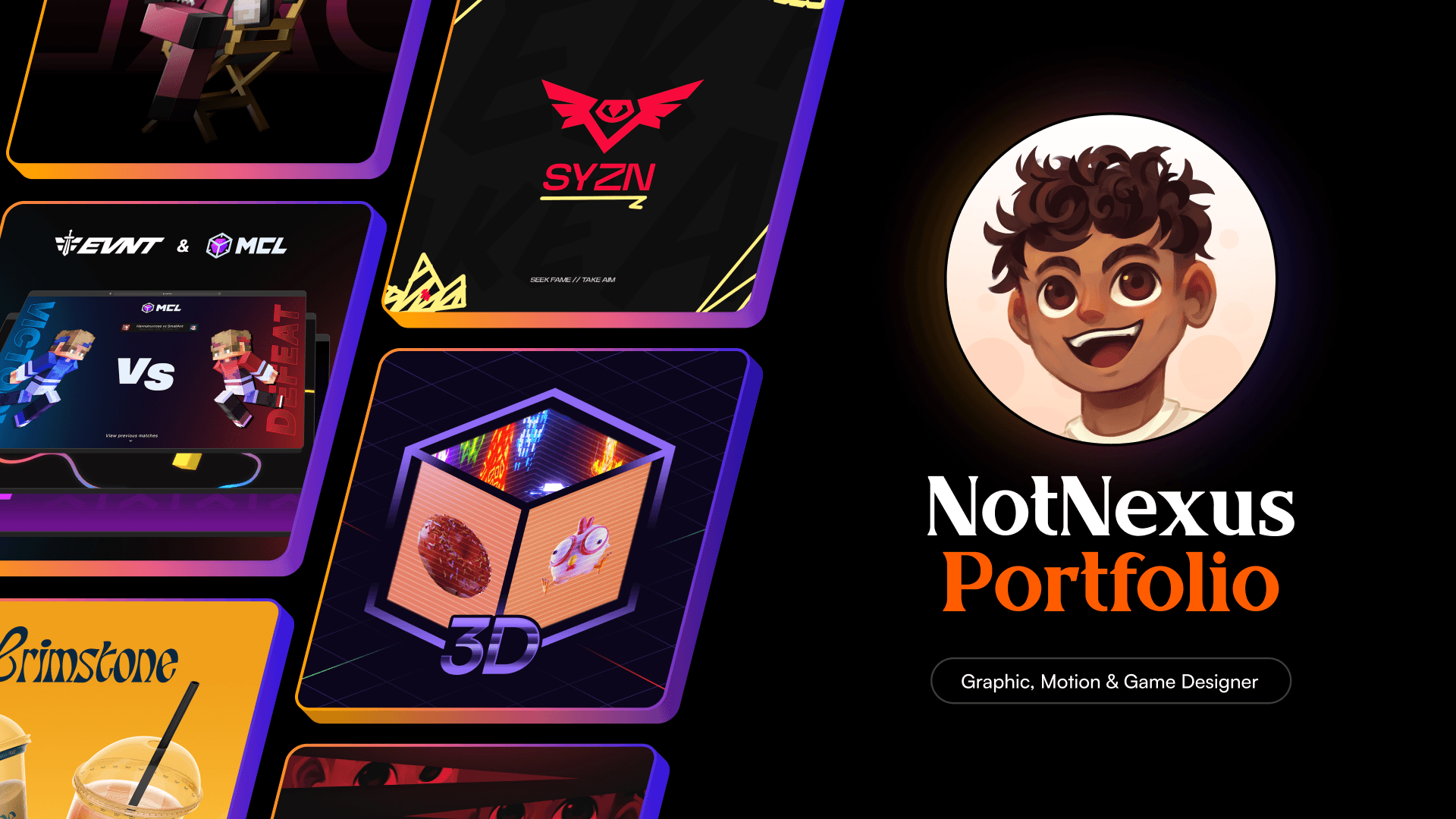
Customization
The website is highly customized, aligned with NotNexus's preferences. The main design of the website was provided to me through Figma and, for the rest, we had a lot of back and forth where sometimes After Effects was used to communicate specific animations.
Page transitions
All navigation is accompanied by a smooth animation which slides in the new page on top of the current page, either from the left or the right.
When a navigation is triggered the old page is cloned, using React.cloneElement, because it needs to be onscreen until the new page has fully taken over. It's scroll position is also stored so that if the user navigates back the previous scroll position can be restored properly.
Note how the pages retain their previous scroll positions.
Video player
To match the aesthetics of the rest of the website a custom video player was implemented. It uses react-player to interact with the underlying Vimeo videos. The player implements the following functionality;
- Pause and resume (with an animation of an expanding icon),
- Mute and unmute,
- Enter and exit fullscreen,
- A volume slider,
- A seekable timeline,
- Configurable accent color,
- Display current time and total duration,
- Display buffered sections,
- Display a preview upon hovering the timeline.
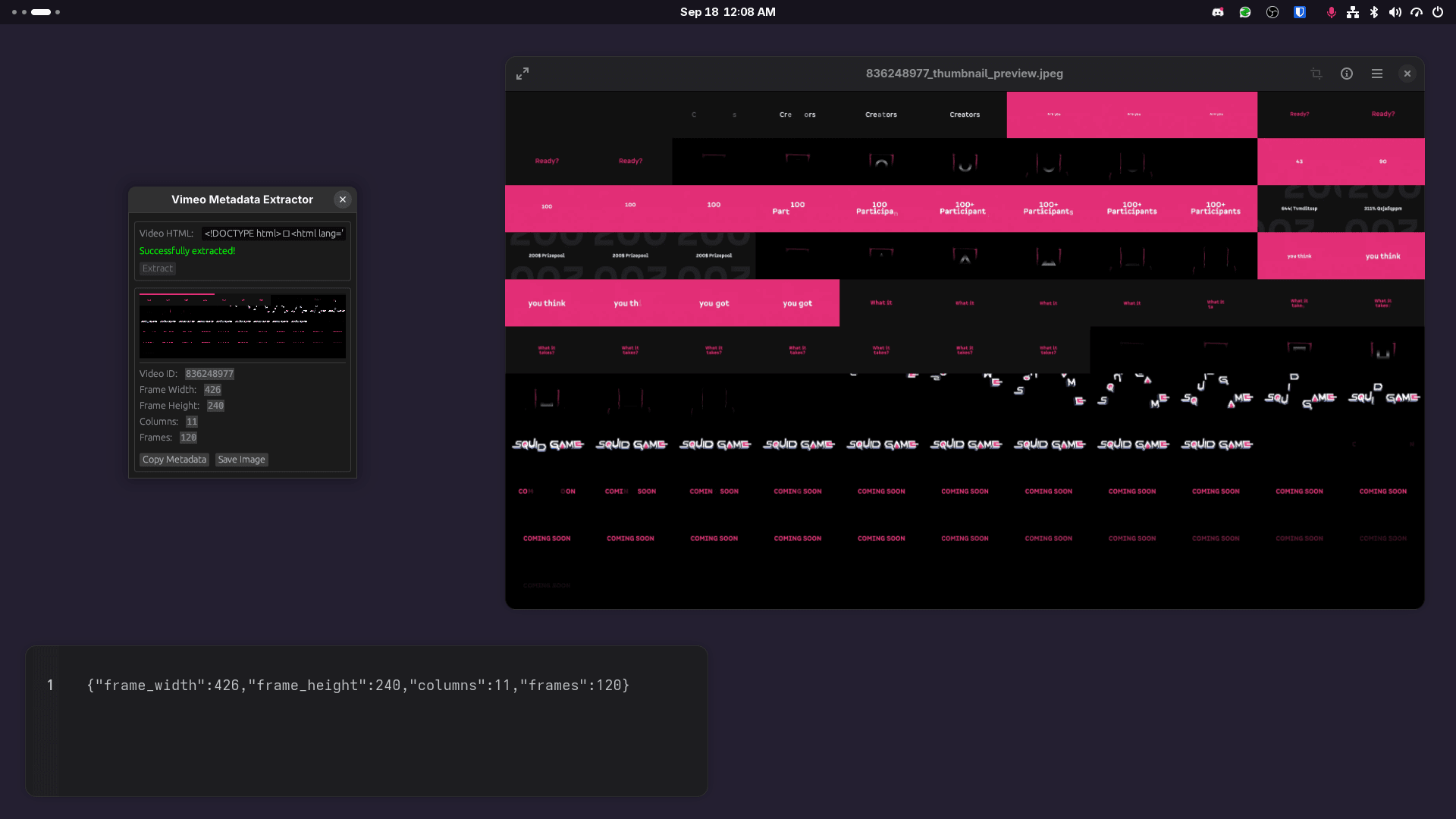
To accomplish that last bit of functionality (video preview on hover) I created a small Rust program that is able to scrape the preview texture from Vimeo.
// 0 <= `time` <= 1
const x = Math.floor(time * metadata.frames) % metadata.columns;
const y = Math.floor(time * metadata.frames) / metadata.columns;

const style: CSSProperties = {
  aspectRatio: metadata.frame_width / metadata.frame_height,
  backgroundImage: `url(${thumbnail})`,
  backgroundSize: `${metadata.columns * 100}%`,
  backgroundPosition: `${-x * 100}% ${-Math.floor(y) * 100}%`
};

// render the video thumbnail preview
return <div className="w-full rounded-t-lg" style={style} />;
After some math the texture gets displayed correctly.
Image viewer
Implemented a image viewer which smoothly lifts images off of the page and zooms in to them when clicked.
Lower quality images (optimized for small file sizes) are rendered by default to minimize page load times. However when an image is opened the original (full quality) image is downloaded and rendered for a better viewing experience.
The animations use the FLIP technique for improved performance and predictable behavior when scrolling while closing the viewer.
Animated cursor
Implemented a cursor which is able to react to content under it by animating in and out of a hover state.
Computing the hover state
To animate the cursor an event listener is attached to the document's pointermove event. The pointermove event's Event#target property combined with the Element#closest method is used to compute what state the cursor should be in.
if (evt.target === null || !(evt.target instanceof Element)) return;

let type: CursorType;

if (evt.target.closest('.cursor-white-hover') !== null) {
	type = CursorType.WhiteHover;
} else if (evt.target.closest('.cursor-hover') !== null) {
	type = CursorType.Hover;
} else {
	type = CursorType.Normal;
}
Therefore all elements that want to change the cursor state when hovered simply need to add either cursor-hover or cursor-white-hover to their class list.
Cursor smoothing
Raw mouse movements are smoothed with a spring animation. To keep things responsive we made sure to make the cursor converge to its final position swiftly.
Cursor smoothing isn't always desirable though, for example if a user moves their cursor out of the browser window and brings it back in from a different position the default naive behavior would be to animate the cursor across the screen from it's previous known position (which doesn't look good).
To circumvent went this edge case a listener is attached to the document's pointerleave event. This event is fired when the cursor leaves the browser window. When that occurs a flag is set to prevent smoothing in the very next pointermove event.
The cursor also fades out when outside of the browser window.
Native fallback
It takes some time for JavaScript to start running when a page is loaded, during this time some CSS is used to display a fallback cursor using SVGs.
.cursor-normal {
	cursor:
		url('/cursors/normal.svg') 6 6,
		default;
}

.cursor-hover {
	cursor:
		url('/cursors/hover.svg') 21 21,
		pointer;
}

.cursor-white-hover {
	cursor:
		url('/cursors/white-hover.svg') 21 21,
		pointer;
}
Once the animated cursor code is up and running these fallback cursor styles are disabled.
Scroll triggered animations
This is achieved with IntersectionObservers. All elements which animate in have an observer attached to them. When elements become visible they are added to a Set and the function processElements is called. This function is debounced so that elements are processed in batches. When processElements finally runs it sorts the visible elements in the Set by their position from the top-left to the bottom-right. The sorted elements are then enqueued to have their intro animations eventually be played.
The queue does not wait for animations to be completed to move on to the next, instead the queue is processed at a constant speed. This ensures long animations do not delay the rest of the animations in the queue.
If the animation queue becomes too large the system starts processing animations at the front of the queue as fast as possible until the queue size becomes tenable. This is done to ensure that there is a bounded maximum delay for an element's intro animation to play.
interface Task {
  canRun: () => boolean;
  run: () => void | Promise<void>;
}

const speed = 125;
const maxQueueSize = 5;
const queue: Task[] = [];
let queueTimeout: NodeJS.Timeout | null = null;

function enqueue(task: Task) {
  queue.push(task);
  if (queueTimeout !== null) return;

  function start(timeout: number) {
    queueTimeout = setTimeout(process, timeout);
  }

  function process() {
    queueTimeout = null;
    const task = queue.shift();
    if (task === undefined) return;

    const canRun = task.canRun();
    if (canRun) void task.run();

    start(queue.length > maxQueueSize || !canRun ? 0 : speed);
  }

  start(speed);
}
The intro animations also wait for any ongoing page transitions to complete before playing so that the animations are observable.